
Customer portal development: how to build a customer portal
Want to Develop a customer portal or Have one built? Find concise answers to questions about costs, features, and choosing a provider—all in one place for B2B decision-makers.
Short answer: Customer portal costs & effort
A Custom-built customer portal usually costs between €25,000 and €150,000 - dependent on roles, integrations and security requirements. An MVP is often in 8-12 weeks possible, complex portals require several months.
- Basic portal: 25,000-35,000 €
- B2B portal with integrations: 60,000-100,000 €
- Complex platform: 100,000-150,000 €+
What is a customer portal and when does custom development pay off?
A Customer portal is the central self-service for customers: documents, orders, tickets, status, contracts - 24/7, web-based and optionally as an app. A good portal forms Concrete business processes together processes such as onboarding, approvals, support, and reporting—and reduces manual work.
A Develop your own customer portal is particularly worthwhile if:
- Processes still run via email/Excel,
- Customer data is scattered across multiple systems,
- You want to reduce support requests,
- Standard solutions do not clearly map your processes.
Goals & business case: why develop a customer portal?
Typical effects of a well-planned customer portal:
- Less support effort: Self-service instead of email ping-pong.
- Faster turnaround times: digital releases and processes.
- Better customer experience: a central access instead of a tool mix.
- More transparency: Access status updates, documents, and history at any time.
Get the first cost estimate for your customer portal in 3 minutes, without registration. Calculate customer portal costs now
Typical functions of a customer portal
The specific range of functions depends heavily on the industry and target group. Frequently recurring modules are:
- User Accounts & Authentication: Secure sign-in with SSO/OAuth2 and optional two-factor authentication.
- Roles & permissions: Tailored views for administrators, staff, management, and end customers.
- Document management: Access contracts, invoices, quotes, reports, and service records in one place.
- Self-service features: Update master data, manage products, and book or cancel services.
- Service & Support: Tickets, inquiries, chat or integrated knowledge base.
- Notifications & Emails: Automatic updates about status changes, new documents or deadlines.
- Payments & Contracts: Payment history, outstanding balances, and digital contract signing.
- Analytics & dashboards: Overviews of usage, orders, consumption or KPIs.
Come often in the B2B environment multi-stage approval processes, Multi-tenancy and Integrations with ERP, CRM, or DMS systems on top.
Do you want to find out which modules your customer portal really needs? Start the customer portal configurator
Customer portals by industry: practical examples
A Custom-built customer portal can have very different characteristics depending on the industry:
- Insurance & Finance: Contract overview, damage reports, contract changes, document archive.
- Manufacturing & B2B: Service portals for machines, order histories, spare parts catalogs, maintenance appointments.
- Energy suppliers: Consumption data, meter readings, tariff changes, invoices.
- Healthcare: Patient portals, appointment booking, findings, secure communication.
- Housing & real estate: Tenant portals, damage reports, utility bills.
- Public administration: Citizen portals, application routes, digital notifications, identification via eID/BundID.
Depending on the target group, we combine industry-specific building blocks with reusable components. This shortens development time and reduces costs without sacrificing individuality.
Architecture of a modern customer portal
A professional customer portal is not a monolithA clear architecture with well-defined layers, clean interfaces, and scalable operations.
Frontend: web & optional app
Web portal (e.g., Vue or Angular) and, optionally, an app (e.g., Flutter). A consistent user experience across devices is essential.
Backend & business logic
API backend (e.g. Micronaut/Spring Boot) controls processes, roles and data flows.
Authentication & Role Model
SSO, OAuth2/OpenID, and a clearly defined role model (e.g., Keycloak) are essential.
Interfaces to ERP, CRM & DMS
Typical integrations:
- ERP: Orders, invoices, delivery status
- CRM: Master data, histories
- DMS: Documents, audit-proof storage
Goal: connect new systems later without a complete rebuild .
Is your system landscape complex?
We’ll assess how a customer portal could be integrated at no cost.
Free architecture consultation
CodeGuides project configurator
Use our project configurator to estimate a realistic budget and timeline before booking a consultation.
How customer portal development works: the process
The path to your own customer portal follows a clearly structured procedure. A typical process at CodeGuides:
1. Strategy & requirements analysis
Together we clarify:
- Target groups, processes, integrations
- Security & Compliance
Result: clear scope and a rough estimate of the effort and cost.
2. UX/UI Design & Prototyping
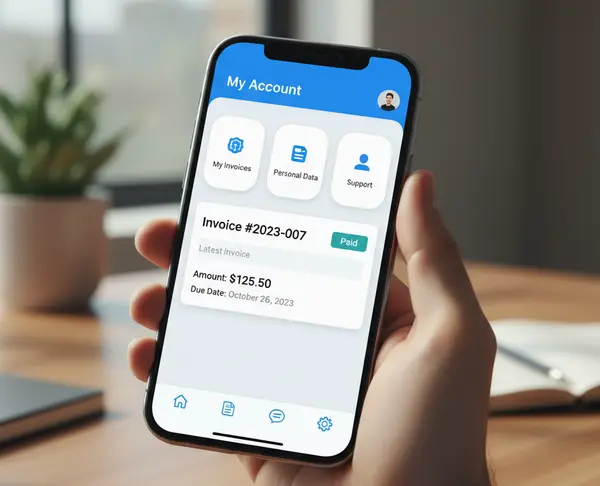
Ease of use is essential. Our UX/UI designers create clickable prototypes to gather:
- Core use cases and roles
- Early feedback from teams and management
3. Technical architecture & implementation
We build the frontend, backend, and integrations in modules. Testing and CI/CD help ensure maintainability.
4. Testing, piloting & rollout
Before the full rollout, projects often start with a Pilot group to:
- Collect feedback
- Check performance
Next comes the full rollout, including training and a support plan.
Would you like to estimate the effort for your customer portal more specifically? Roughly calculate the project
Standard solution vs. custom customer portal
Many companies are initially faced with the central question: Should you use a standard customer portal or build a custom one? Both approaches have clear pros and cons, and choosing the right one can save six figures.
Standard solution (“Buy”)
Standard portals are preconfigured SaaS solutions with a fixed range of functions. They are particularly suitable if:
- Your processes are largely standardized,
- You want to get started quickly,
- few integrations are necessary.
Typical advantages:
- Quick start (1-6 weeks)
- Low initial investment
- Ready-made standard modules
Disadvantages:
- Your process adapts to the tool
- Limited customization
- Vendor lock-in & ongoing licenses
Custom customer portal (“Make”)
A custom customer portal is a good fit if:
- Processes are complex or company-specific,
- Several systems need to be integrated,
- You need scaling and data sovereignty.
Typical advantages:
- Customized processes & roles
- No SaaS dependency
- Seamless integration with your existing systems
Disadvantages:
- Higher initial budget
- Clear product responsibility necessary
In practice, a hybrid approachhybrid approach often works well: use standard solutions for specific modules (e.g., authentication or document management) and build the core customer portal around your needs. This can reduce development costs while giving you greater flexibility.
Quick comparison: standard solution vs. custom development
| Criterion | Standard solution | Custom customer portal |
|---|---|---|
| Investment | low starting price, ongoing license costs | Higher upfront investment, often lower costs over the long term |
| Flexibility | severely limited | full customization of processes |
| Integrations | often limited to standard interfaces | can be flexibly integrated into ERP/CRM/DMS |
| Processes | Tool determines process | Process determines tool |
| Data sovereignty | often split/restricted | full control over data & infrastructure |
Unsure which option makes sense for you? Calculate a free cost comparison
Customer portal costs: how much does a customer portal cost?
The Costs of a customer portal depend on scope, integrations and security. Rough orientation:
- Basic customer portal (login, documents, simple self-services): approx. €25,000–35,000
- B2B customer portal with roles, multiple modules, ERP connection: approx. €60,000–100,000
- Complex platform with multi-tenancy, multilingual capability, multiple integrations: €100,000–150,000 and above
Quick estimate: What might your customer portal cost? Calculate costs now
Choosing a customer portal development provider correct agency?
A customer portal involves complex processes, roles, security, UX, and DevOps. Look for a provider that interdisciplinary team, not just developers.
Checklist: These criteria determine success or failure
- Architecture expertise: Can the provider explain how they structure role models, integrations, multi-tenancy, and modules?
- Experience with customer portals: At least 2–3 completed portal projects—not just “websites with login.”
- Integration expertise: Experience with ERP, CRM, DMS, SSO, SFTP, OAuth2, Keycloak etc.
- UX processes: Do they offer prototyping, user feedback, and testing?
- DevOps & Operations: Containerization (Docker), CI/CD, monitoring (Grafana), and security processes.
- Transparent pricing: Clearly defined work packages, milestones, and acceptance criteria.
- In-house team vs. outsourcing: Long outsourcing chains are a high risk for critical portals.
Why CodeGuides?
We bring UX, backend, frontend, app development, DevOps, and operations together in one well-coordinated team. We’ve delivered projects for mid-sized companies and enterprise clients complex customer portals end-to-end covering architecture, integrations, operations, and ongoing development.
We would be happy to have a short conversation to see whether we are a good fit for your project: Arrange a free initial consultation.
Rollout & documentation
A customer portal also involves change management. Clear documentation and a well-planned rollout influence adoption and support needs.
- Architecture & API documentation (Modules, data flows)
- Role & authorization model
- Monitoring/Alerting and operations handover
- Pilot group + Rollout plan
This can increase adoption and reduce support costs.
We will show you what an introduction in your company could look like. Schedule an initial consultation
Practical example: service platform for booking training sessions
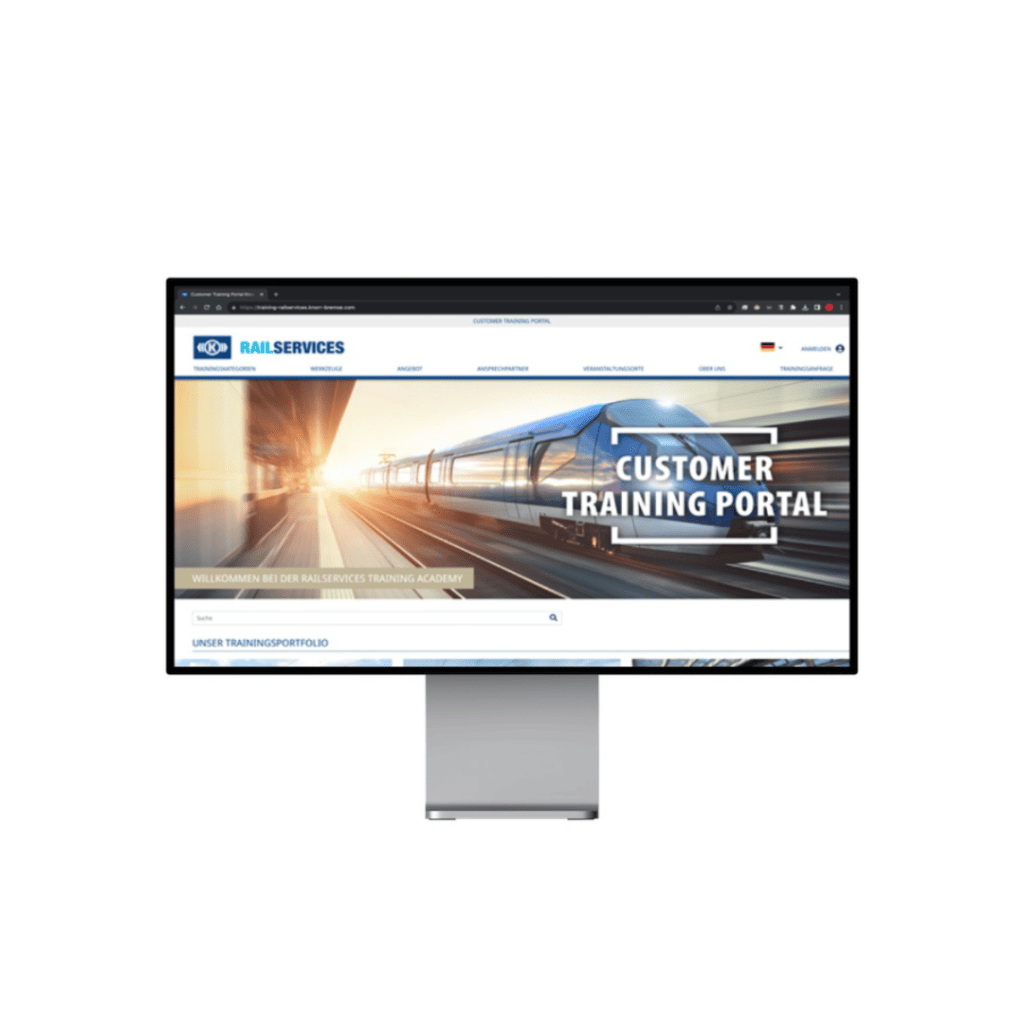
Web platform for a DAX-listed company to centrally manage training programs and workforce scheduling. Result: more than 80% less manual email communication, with continuous development in operation.
Practical example: B2B customer portal for spare parts orders
B2B customer portal for mechanical engineering: Dealers and service partners can order spare parts, upload documents, and submit service reports.
- SAP integration for products, pricing, and availability
- Role model for dealers, technicians & customers
- Automatic access to documents (e.g., manuals and maintenance plans)
- Shopping cart, order approvals, and approval workflows
- Machine history per customer
Result: 35% fewer support tickets, 50% faster processing time and complete transparency for partners & customers.
Conclusion: developing a customer portal is a strategic project
A Custom customer portal is much more than an IT system, it is the digital interface to your customers. Properly planned and implemented, it increases efficiency, transparency and customer satisfaction and becomes a real competitive advantage.
If you want a Custom-built customer portal , arrange a free initial consultation or calculate an initial cost range with our Project configurator. Next, we can review your potential architecture and identify which modules might be a good fit for an MVP.

CodeGuides is your partner for professional software development.
FAQ: Frequently asked questions about customer portal development
Customer portal costs: how much does a customer portal cost?
Customer portal development costs typically start at 25,000-35,000 € (Login/SSO, roles, documents). Projects often come with integrations, workflows and multilingualism 60.000-150.000 €. For an initial estimate, use the Configurator.
How long does customer portal development take?
An MVP usually takes 8-12 weeks. More extensive portals with multiple integrations may require 3-6 months, depending on interfaces, data quality and decision-making processes.
Custom customer portal vs. standard solution?
Standard solutions can be quick to launch, but may not support your specific processes. A custom customer portal offers flexibility and control over your data, but requires a higher upfront investment. A hybrid approach often works well: standard modules combined with custom-built core processes.
Customer portal technologies: Which ones are suitable?
Typical stack: frontend Vue.js or Angular, backend Micronaut or Spring Boot, Auth via Keycloak (OAuth2/OpenID). Hosting mostly containerized with Docker/Kubernetes on EU servers.
Customer portal hosting in Germany: is that possible?
Yes. Hosting on German or EU servers is standard practice for meeting GDPR requirements. This gives you full control over customer data and compliance.
Discuss your idea in a free, no-obligation 45-minute conversation with our team.
CodeGuides: proven with mid-sized companies and enterprises









Discuss your project with us
Choose a time that works for you, and we’ll send an invitation. We look forward to speaking with you.
Choose channel
All consultations take place on Google Meet.
Date & time
Your confirmation and calendar invitation will arrive by email right away.
The appointment can be rescheduled if needed.
Summary
I look forward to our consultation

Project questions and practical answers
What does customer portal development include?
A customer portal combines authenticated access, customer-specific records and self-service workflows. Define customer and staff roles, single sign-on, and which ERP, CRM or document system owns each record. CodeGuides implements these connections, tests access boundaries and agrees on hosting, support and data export before release. Compare a standard portal with custom development against those requirements.
When is custom documentation portal development useful?
A custom documentation portal is useful when customers need versioned manuals, restricted downloads or documents linked to products and contracts. Plan permissions, search, document ownership and publication approvals first. A standard knowledge-base product may suffice for public articles; custom development becomes relevant when access and content must follow ERP or customer-account data.